Branch and tag policy
There are two PERMANENT (protected) branches in the backend and frontend
repositories, a staging branch and a production branch.
You will also find one or more integration branches, used to integrate the
features for an active major/minor release. These might be used for milestones
and the naming is to be declared but it could be the milestone ms-2022-08-18
or a more friendly name like the designated colour that’s referred to during
meetings (yellow, purple). So, if code for ms-2022-08-18 (yellow) is
being actively developed you might expect to find a yellow integration
branch.
Developers implement features (or fix bugs) on feature branches.
GitHub Actions result in new container images for: -
For every commit to a feature or integration branch (tagged using the branch name slug, i.e. yellow)
For every commit to the
stagingbranch (tagged using latest)For every non-production tag/release on the
stagingbranchFor every production tag/release on the
productionbranch
Summarised in the diagram below: -
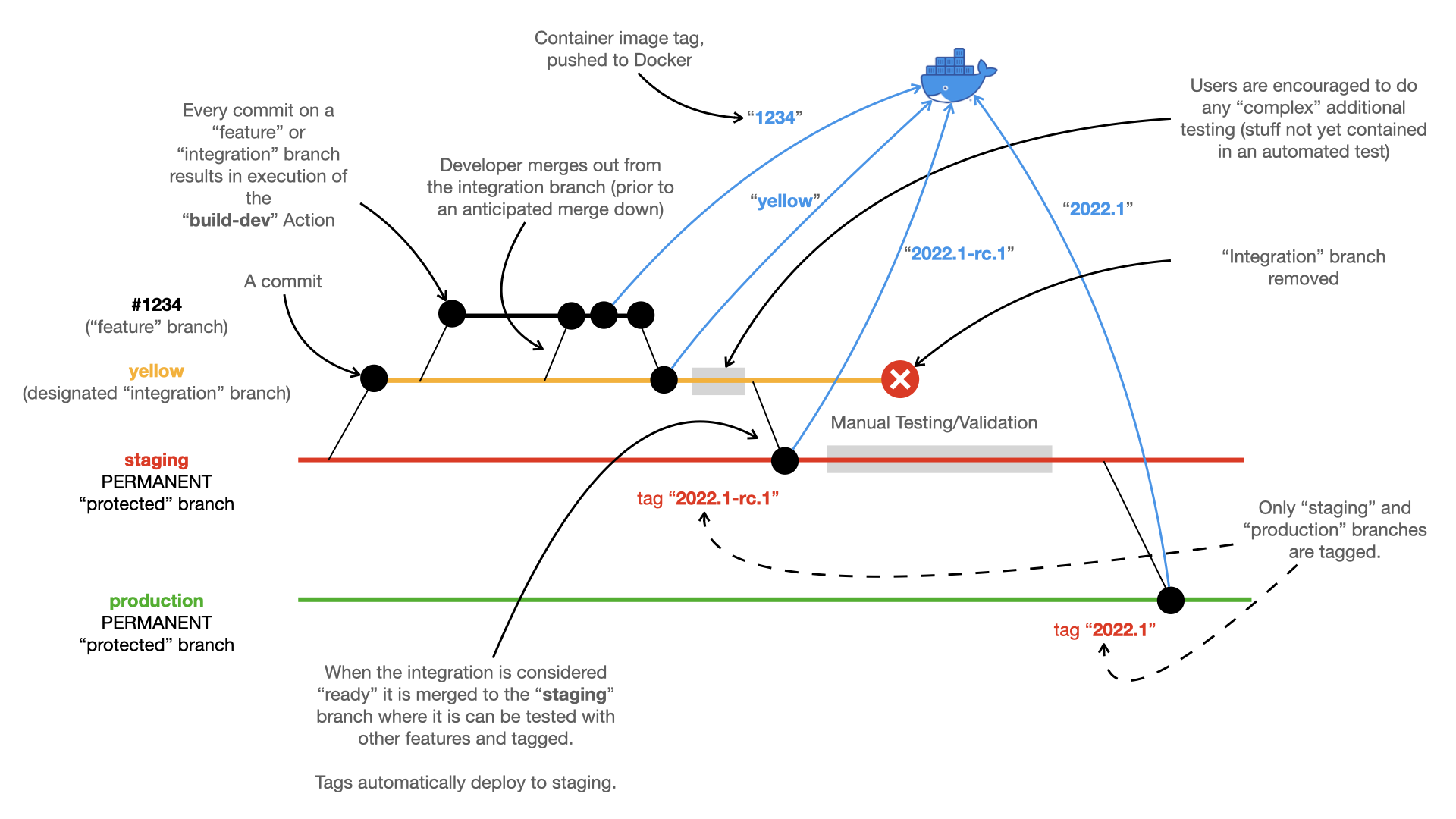
Automated stack builds
For every change to either the staging or production branch on the
backend (or frontend), a GitHub workflow Action triggers a build of the
stack image (in its repository) using the image just built in the backend.
Stack images built this way are launched by a user running a suitable AWX Ansible Job Template.
As illustrated in the diagram below: -
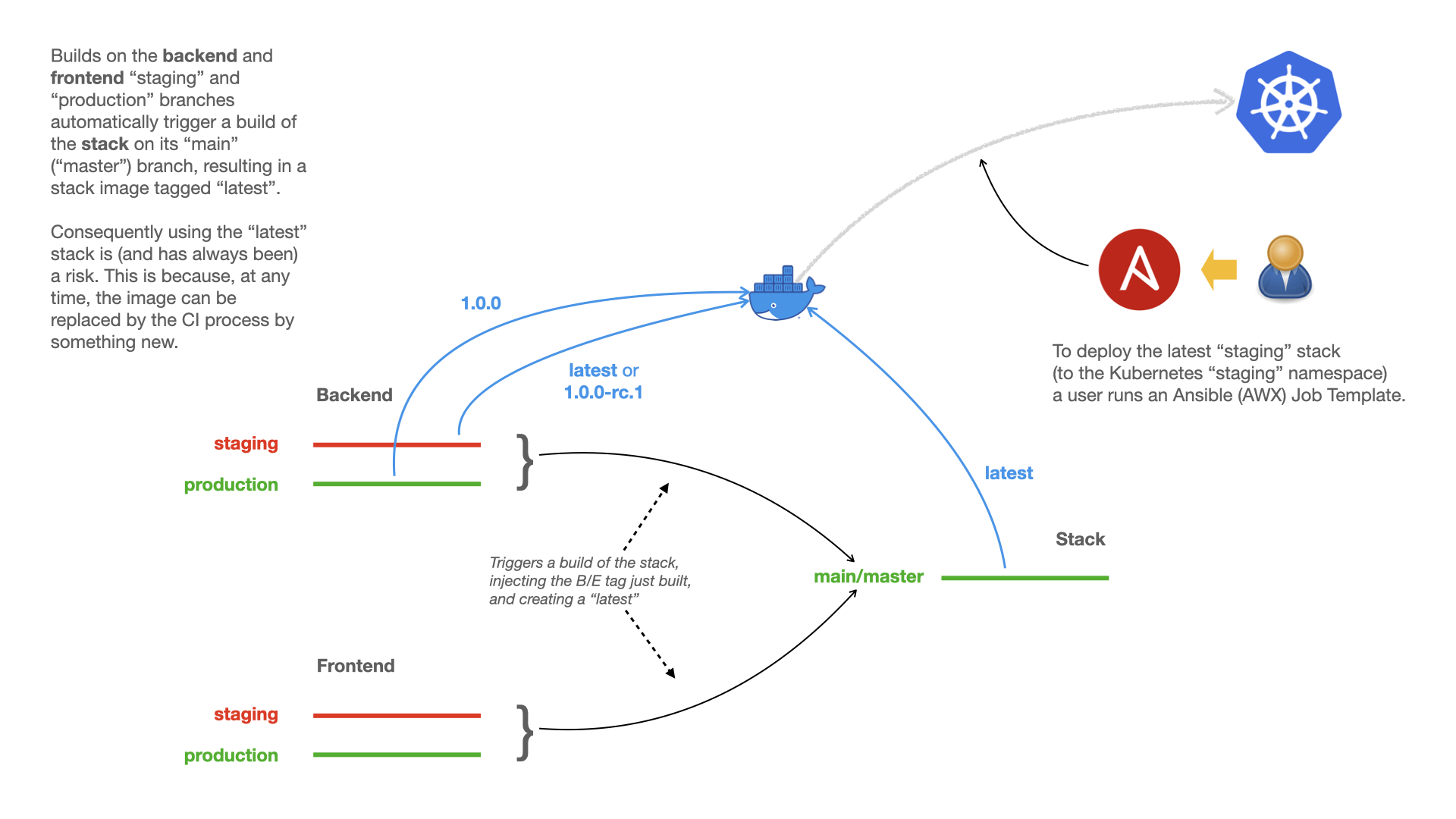
Control variables
For all this to work the backend and frontend repository needs access to a number of control variables defined either as a GitHub Repository (or Organisational) Secret or as part of a GitHub Environment.
Refer to the build staging workflow for details of the expected variables and their expected origin (Secret or Environment).
To trigger a downstream build of the stack for example you will need to define the following Secrets: -
TRIGGER_DOWNSTREAM(set to “yes”)STACK_USER(A GitHub user account that build the stack)STACK_USER_TOKEN(A suitable “personal access token” for thew stack user account)